I’m pretty happy with the Twitter Tools plugin, but I quite like Brave New Code‘s plugins, so I’m trying Word Twit out to see if I should switch.
I’m pretty happy with the Twitter Tools plugin, but I quite like Brave New Code‘s plugins, so I’m trying Word Twit out to see if I should switch.
Maybe it’s just my installations, but after upgrading WP to version 2.7 (which I love), my content input window in visual mode wasn’t working properly. no text control menus and text wasn’t visible.
After trouble shooting plug-ins, guilty party was Kimili Flash Embed.
Sorry for anyone who was getting “page not found” returns on some of the items on the front page of the blog. I’d installed a new plug-in that was a bigtover-earnest in rewriting URLs.
One of the great things about WordPress is the sheer volume of plug-ins created to provide all sorts of functionality and features. Sometimes they choke, and my fault for not re-checking what was happening after I installed this one.
All’s well and back to normal.
I’m not sure how I missed it, but if you’re a WordPress user and you love the image upload function, stay away from Flash 10. It borks the uploader – and you’ll need to revert to Flash 9 or use the browser upload instead.
The WP forum ‘closed’ topic on image upload problems does mention this, but I hadn’t gone back to that doc since reading it the first time (trying to solve other image upload problems).
The WP forum seems to indicate its an issue especially for Linux, but the WP Image uploader for definitely doesn’t work with WP on my Intel Mac when running Flash 10.
Fortunately I was able to find my old Flash V9 player and reinstalled it.
http://wordpress.org/support/topic/164999?replies=1
Here’s the error message I get inside WP CMS:
(click for a larger version)
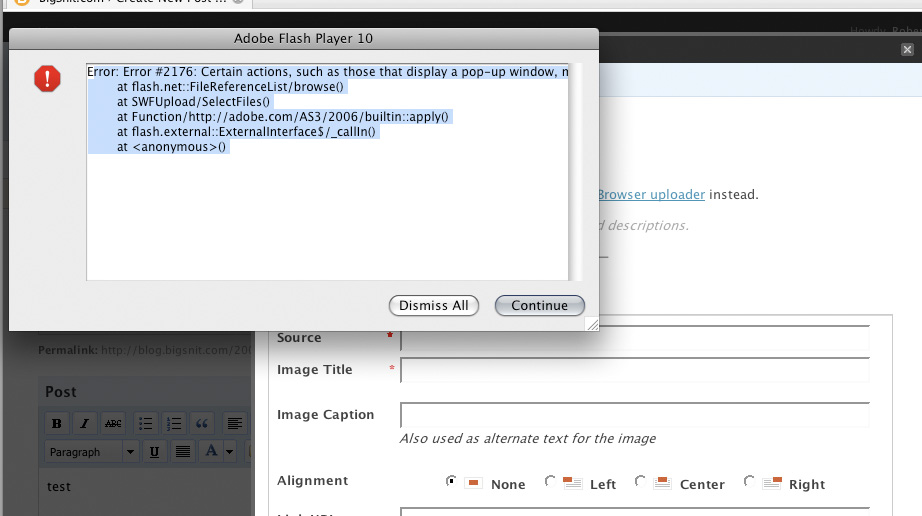
Error #2176: Certain actions, such as those that display a pop-up window, may only be invoked upon user interaction, for example by a mouse click or button press.
at flash.net::FileReferenceList/browse()
at SWFUpload/SelectFiles()
at Function/http://adobe.com/AS3/2006/builtin::apply()
at flash.external::ExternalInterface$/_callIn()
at <anonymous>()
I’ve just posted some notes on a project I really enjoyed working on for Dr. Tony Bates, a former professor at UBC. It was an interesting challenge organizing his huge library of content – great guy to work with.

In my heart I’m still a capitalist…the most powerful thing you can do is marry profit motives with community motives.
– open-source software creator and entrepreneur Matt Mullenweg
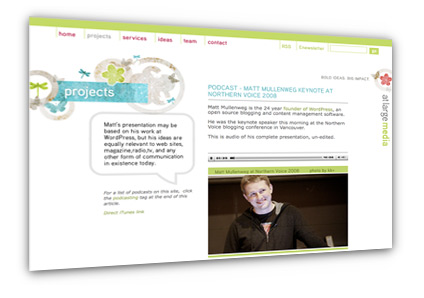
I’ve just posted the interview I did with Matt Mullenweg, founder of WordPress, when he was in Vancouver for Northern Voice.
The podcast is on the At Large Media website.
The interview followed his keynote speech, which is also online here.
Special thanks to kk+ for helping arrange this.
I’ve just posted the full audio presentation of Matt Mullenweg’s keynote address at Northern Voice in Vancouver this morning.
Matt’s the founder of WordPress, the blogging software that runs this web site and millions of others.
I’ll have a feature interview with Matt in podcast coming in the next few days, but in the meantime, wanted to give everyone a chance to hear his presentation in full.
It’s on my blog at At Large Media.
UPDATE: We’ve been getting a lot of traffic on our Vancouver server for the audio file (yippee) thanks to stumbleupon and Mr. Robert Scoble (thanks RS).
So, if you have any problems with the link above, you can try this version which is on a server in Toronto.

Sometimes it pays to wait a few days before upgrading. From the fine folks at WordPress…
Long story short: If you downloaded WordPress 2.1.1 within the past 3-4 days, your files may include a security exploit that was added by a cracker, and you should upgrade all of your files to 2.1.2 immediately.
I’ve switched to a new WordPress theme for the BigSnit blog. You may find the odd bit of funky business as I tweak for PC and MAC.
Upgrading to WP2
I’m about to upgrade to v2 of WordPress.
Past experience being what it is, this should go smoothly and all will be well.
If blog.bigsnit.com disappears for a bit, please be patient. I will return.
Thanks to Loc and the gang, the BigSnit blog has moved to WordPress. I’ll spend the next couple of days mucking around with themes, then will switch over. Stand by !
I’ve now retro-posted by bringing over posts from the old site and ported them here to work with WordPress. Thanks LOC!!!!